


Color Logic
4.6835.00 Reviews
App Specs
- Version
- 1.17.0
- Updated On
- License
- Free
- Downloads
- 500,000+
- Developer
- Gimica GmbH
- Categories
- Puzzle
- Platform
- Android
Screenshots
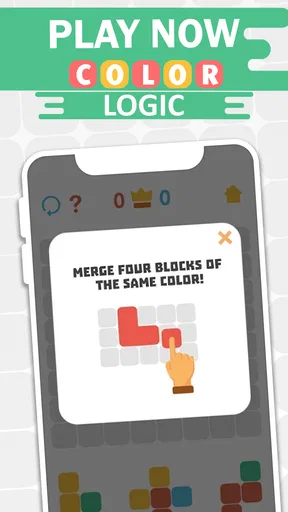
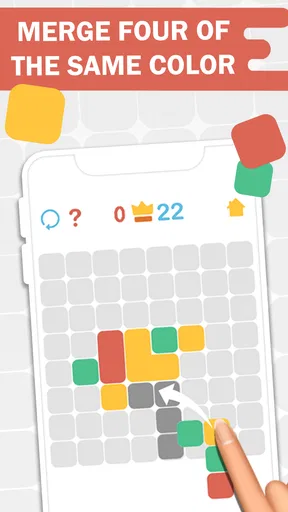
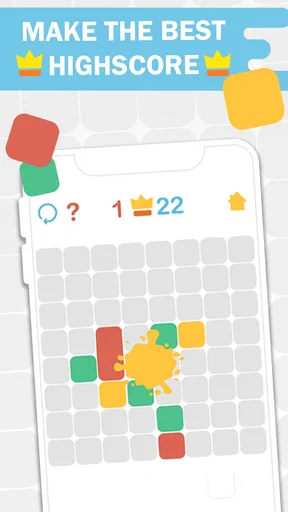
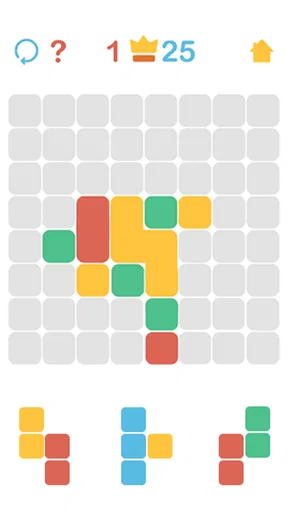
 Analysis by AppCompare
I like puzzle games that give me a small, clear challenge without asking me to learn a complicated system first. Color Logic is built around that sort of appeal: its focus is color matching and logic, so it suits a quick break when I want to concentrate on something visual. It is a free puzzle game from Gimica GmbH, rated for Everyone, and its audience response is strong, with a 4.5 average from around 12,000 ratings. That gives me a useful starting point, though whether it clicks for you depends more on the kind of puzzle rhythm you enjoy.
What free access means here
The game is free to install, which makes trying it a low-commitment choice. I would treat that as a reason to test whether its color-based puzzles hold my attention, not as a promise that every part of the experience is free. The game’s current version is 1.13.1, and it requires Android 7.0 or later on Android devices. It has passed 100,000 installs, a modest but meaningful sign that other players have been willing to give it a try.
There is a point worth keeping clear when judging cost: a free download and paid extras are not the same thing. The published review text describes in-app purchases and says that some advanced tools require payment, while basic features are available without paying. I would begin with the free experience and only consider spending if a specific paid tool turns out to matter to the way I play. That is a more sensible test than buying on the assumption that every extra will improve the core puzzle experience.
Where the value comes from
The best value in a color-logic game is not simply a long list of options; it is whether the central activity makes me pause, compare, and try again without becoming a chore. This one is presented as a color-matching puzzle, so its appeal is naturally different from a word game or a number-grid puzzle. Instead of scanning letters or calculating a sequence, I would expect to use visual distinctions and logical choices. That makes it a plausible fit when I want a change of pace from familiar puzzle formats.
A practical way to decide whether it earns a place on your phone is to try it in a short, ordinary gap: while waiting for a drink, taking a break between tasks, or winding down before bed. Notice whether you find yourself studying the color relationships or tapping through without much thought. If the visual reasoning pulls you in, free access gives you a straightforward way to see that for yourself. If you mainly want a demanding brainteaser with elaborate rules, a more complex logic title may be a better use of your time.
The tradeoffs I would keep in mind
Color-based puzzles can be pleasingly direct, but color is also the whole point of the challenge. That makes the experience less suitable for anyone who finds subtle shades hard to distinguish, or who prefers puzzles where clues are written out rather than shown visually. Screen brightness and the conditions around you may affect how comfortable it feels to compare colors, so I would try it in the setting where I expect to play rather than assume every display and room will feel equally clear.
Another tradeoff is the difference between a simple core and optional advanced tools. If the free part already gives you the kind of challenge you want, the purchase option may be irrelevant. If you reach a point where a paid tool seems necessary, consider whether it changes the puzzle-solving experience enough to justify spending. I would not pay just because an upgrade is available; I would first check that it addresses a real limitation for me. That approach keeps the game’s free entry point useful without treating purchases as automatically worthwhile.
Worth Reading Before You Choose

EA SPORTS FC Mobile 26 Is a Bigger Football Game, but It Takes Time

Flipboard Shows What News Apps Must Do Beyond the Feed

Switching to Android Auto Means Rethinking Your Driving Routine

Google Calendar Makes a Crowded Week Easier to Manage

Ludo King Makes the Most of the Minutes Between Plans

Baby Panda World Brings Quick Play to Modern Phones, but Its Game Library Feels Busy
How it fits beside other puzzle games
Compared with the usual alternatives, such as word searches, number puzzles, or match-style games built around quick combinations, a color-logic format asks for a more visual kind of attention. That can be refreshing if you are tired of reading clues or working through arithmetic. It may also be less satisfying if you want a clear story, a broad range of puzzle mechanics, or a steep strategic learning curve. I would choose it for focused color reasoning, not as a substitute for every kind of puzzle game.
It can also work as a gentle way to exercise attention to color relationships, but I would not mistake that for a full design course or a professional color tool. A puzzle game’s job is to make play engaging; someone choosing colors for a real project may need controls and reference options that are designed for that work. The useful distinction is simple: try this when you want an accessible visual challenge, and choose a dedicated creative app when accuracy and production workflow matter more than play.
Who is likely to enjoy it?
I would recommend giving it a try if you like compact puzzles, notice color differences quickly, and want a game that can fit into a short break. It may especially suit players who enjoy figuring out a visual pattern without first learning a long set of instructions. The Everyone age rating also makes it broadly approachable as a family-friendly puzzle choice, though individual preferences and visual needs still matter.
I would steer away if color matching is uncomfortable for you, if you need a game with lots of narrative progression, or if you expect a free download to include every advanced option at no cost. It is also not my first pick for someone who wants a serious palette-building workspace: the game is categorized as a puzzle, and its central promise is color logic rather than professional design production. That distinction helps set expectations before you install it.
A realistic way to test it
Imagine you have a few minutes between errands and want something more engaging than scrolling but less involved than starting a long game. I would open a color-logic puzzle, give myself a moment to compare what I see, and stop when the break is over. On a later session, I would notice whether I remembered the visual approach or felt compelled to return. That small test tells you more about fit than a high rating alone: the important question is whether its specific style of reasoning feels enjoyable to you.
If you play in dim surroundings or on a screen with color settings you have adjusted heavily, try changing the environment before deciding that the puzzles are unclear. A brighter, more neutral setting can make visual comparisons easier. This is not a hidden game feature, just a practical way to judge a puzzle whose challenge depends on seeing color distinctions comfortably. If it still feels hard to read, that is a reasonable sign to choose a different puzzle format rather than force yourself through it.
What is Color Logic?
Color Logic is a nifty little app designed to let users explore the world of colors in a fun and interactive way. Whether you're an artist, designer, or just someone who loves playing around with colors, this app has something for you. It’s available on both Android and iOS, making it accessible no matter what device you prefer.
Exploring Features
First off, let’s talk about the interface. You know how some apps just feel overwhelming the moment you open them? That’s not the case here. The user interface in Color Logic is sleek and intuitive. It’s like walking into a well-organized art store, where everything is in its place, and you can’t wait to start exploring.
The app offers a range of features that allow you to mix and match colors to your heart’s content. You can create custom palettes, experiment with color combinations, and even find out what colors complement each other best. For someone like me who tends to get lost in the world of colors, this is a dream come true.
Color Inspiration
One feature that really caught my eye is the inspiration section. Ever been in a situation where you’ve seen a color in real life and wished you could capture it for future reference? Well, Color Logic makes that possible. You can snap a photo, and the app will identify the dominant colors for you. It’s like having a mini color detective in your pocket!
Educational Tools
For those who are eager to learn more about color theory, the app also includes educational tools. It’s got tutorials that cover the basics, like the color wheel, complementary colors, and even some advanced topics like color psychology. I spent a good chunk of time exploring these and honestly, it was pretty enlightening.
User Experience
Overall, using Color Logic is a breeze. The app runs smoothly without any hiccups, and I didn’t encounter any bugs during my time with it. It’s evident that a lot of thought has gone into creating a seamless user experience.
If I had to nitpick, I’d mention that the app does have in-app purchases. While the basic features are free, some of the more advanced tools require payment. But honestly, the free version offers plenty to keep you occupied if you’re not looking to spend extra cash.
Who Should Try It?
If you’re a designer looking for a handy tool to experiment with color palettes, or just someone who loves the world of colors, Color Logic should definitely be on your radar. It’s a fun and educational app that’s sure to enhance your creative endeavors.
In conclusion, Color Logic is like a colorful playground for anyone who loves to explore and create with colors. Whether you’re a professional or a hobbyist, it’s an app that brings value through both its features and its ease of use. So why not give it a shot? You might just find yourself inspired in ways you never expected!
Pros
- Intuitive interface for all skill levels.
- Wide range of color schemes available.
- Real-time preview for instant feedback.
- Supports multiple file formats.
- Lightweight app with quick installation.
Cons
- Limited advanced features for professionals.
- Occasional crashes on older devices.
- No offline mode available.
- Free version has frequent ads.
- Lacks integration with other design apps.
FAQs for Color Logic
What is Color Logic and how does it work?
Color Logic is a mobile app designed to enhance your creativity by providing a platform to experiment with colors in various design projects. Users can create, save, and share color palettes, as well as apply these palettes to different templates. It utilizes an intuitive interface, making it easy for both beginners and professionals to navigate and explore different color combinations.
Is Color Logic free to use, or are there in-app purchases?
Color Logic offers a free version with basic features suitable for most users. However, for those looking to unlock advanced features such as high-resolution exports or additional templates, there are in-app purchases available. A premium subscription may also be offered, providing an ad-free experience and access to all exclusive content.
Does Color Logic require an internet connection to function?
While Color Logic can be used offline for creating and editing color palettes, an internet connection is required for certain features. These include sharing palettes online, accessing community templates, and syncing your projects across multiple devices. Offline functionality is sufficient for basic use, but connectivity enhances the app's capabilities.
What devices and operating systems are compatible with Color Logic?
Color Logic is compatible with both Android and iOS devices, requiring Android 7.0 or later and iOS 11.0 or later. It is optimized for both smartphones and tablets, providing a seamless experience across different screen sizes. Regular updates ensure compatibility with the latest operating system versions, enhancing performance and security.
How user-friendly is Color Logic for beginners?
Color Logic is designed with user-friendliness in mind, offering a simple and intuitive interface that makes it accessible for beginners. The app includes tutorials and guides to help new users understand its features and functions quickly. Additionally, the community forum provides support and inspiration, making the learning curve manageable and enjoyable.


